Fiesta 101 Onboarding Series
New to Fiesta? Start here!
Fiesta 101 is the essential first onboarding session for anyone using a Salsa 2 or Guac & Chips booth. Join your Customer Success Host as they guide you through the Fiesta software basics—managing your account, billing, devices, subscriptions, setting up your interface, using different modes, and sharing your content. Perfect for beginners, this class sets you up for success before diving into advanced features in Fiesta 102 or the Design Studio onboarding.
Welcome to Fiesta
  • 1. Welcome
    Thursday, September 4, 2025 · 5:30 AM PDT
    Welcome to Fiesta 101! Before we dive into the technicalities of the Fiesta Software, we’ll cover some basic information to help you get the most of your education and how to access additional support from our team.
    1756991811-b86b6ea6415c163a
  • 2. Account Management
    Tuesday, July 22, 2025 · 7:30 AM PDT
    The Account Management page lets you handle your personal and business information in the Fiesta Software. In this video we’ll cover adding and changing your account information, adding Event Passcodes for your security, and upgrading and/or pausing your subscription.
    1756908634-2657c68148b51842
  • 3. Creating Events
    Tuesday, July 22, 2025 · 7:30 AM PDT
    The first step in running successful events is creating them within your Fiesta Software. This quick video will show you how to create an event, which Event Type to select, and the best-practices for naming your Event.
    1756908632-c0e473c26549ba57
  • 4. Interface
    Tuesday, July 22, 2025 · 7:30 AM PDT
    The Interface tab allows you to customize all of the screens that guests will interact with on your photo booth. Learn how to set up and change Tap to Start Screens, Background Screens, LED Ring patterns, and even include Disclaimers for your event.
    1756908630-4a92ce46357b9dfd
  • 5. Modes
    Tuesday, July 22, 2025 · 7:30 AM PDT
    Learn how to enable and edit all of the different Capture Modes within Fiesta. The Modes section of your Event Settings are where you will configure all of the ways in which guests will be capturing their photos or videos at your event. Photo, GIF, Boomerang, Video– each one of these essential features will be covered in the Modes tab!
    1756908628-fb59d50162ba0cb5
  • 6. Branding
    Tuesday, July 22, 2025 · 7:30 AM PDT
    Design your Emails, Live Galleries and Proposals all in one place with the Branding tab. This module will cover the design elements of the Branding tab that can be applied to guest-facing features in a way that ensures consistency throughout your event, while also saving you time.
    1756908626-a3848e43a6976876
  • 7. Live Gallery
    Tuesday, September 2, 2025 · 9:00 AM PDT
    The Live Gallery is a website that stores all of the Photos, Videos, GIF, and Boomerang captures taken from your event for your client and guests to view during or after an event. In this module you will learn how to enable (or disable) the Live Gallery, setup Password protection, and tailor the look of your Live Gallery to best suit your clients’ needs.
    1756908624-a205d34114c9bc3e
  • 8. Sharing
    Tuesday, September 2, 2025 · 9:00 AM PDT
    The Sharing tab is where you can enable different ways for guests to share their captures from the booth to their own devices. In this section you will learn the must-dos for Email sharing, and you’ll also learn how to provide your guests with other methods for sending their captures– Text, QR Code, and Airdrop.
    1756908621-6358930bf8cfb283
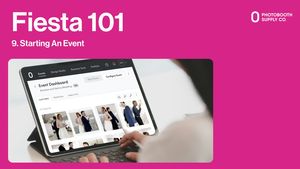
  • 9. Starting An Event
    Tuesday, September 2, 2025 · 9:00 AM PDT
    Now that you’ve created your event, it’s time to press Start! In this module you’ll see exactly how to start your event, how to trigger the Event Auto Start feature, and how to use the Standby Screen feature as well.
    1756908620-7b6d46bc9f6a05a6
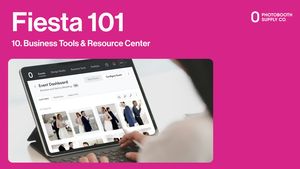
  • 10. Business Tools & Resource Center
    Tuesday, September 2, 2025 · 9:00 AM PDT
    Need a little extra help as you get started? Let's explore our Business Tools and Resource Center.
    1756908617-2cb10bd2a7b09125
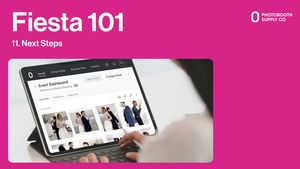
  • 11. Next Steps
    Tuesday, September 2, 2025 · 9:00 AM PDT
    Congratulations, you’ve nearly completed Fiesta 101! You’ve seen the foundations of event setup within the Fiesta Software, but there’s much more to come. In this video you’ll hear what’s next for your Fiesta learning track, and you’ll also be given important resources you’ll want to have for your progress going forward.
    1756908615-2619b8fad2252074
Get Started Now
Ead-messages-offsite-icon-1